My Weekly Homeschool Trello Board for Working Moms (Lists, Cards, and All)
After I published my last post on how to use Trello in your homeschool, I realized the basics were only half the story. Knowing what a board, list, and card are does not tell you how to actually run a week with it. So I decided to follow up with more detail, in case other moms had the same question that member did.
This is the real system I use every week, built on the same Homeschool Essentials Planner Trello Board template I sell, complete with the example cards it comes with.
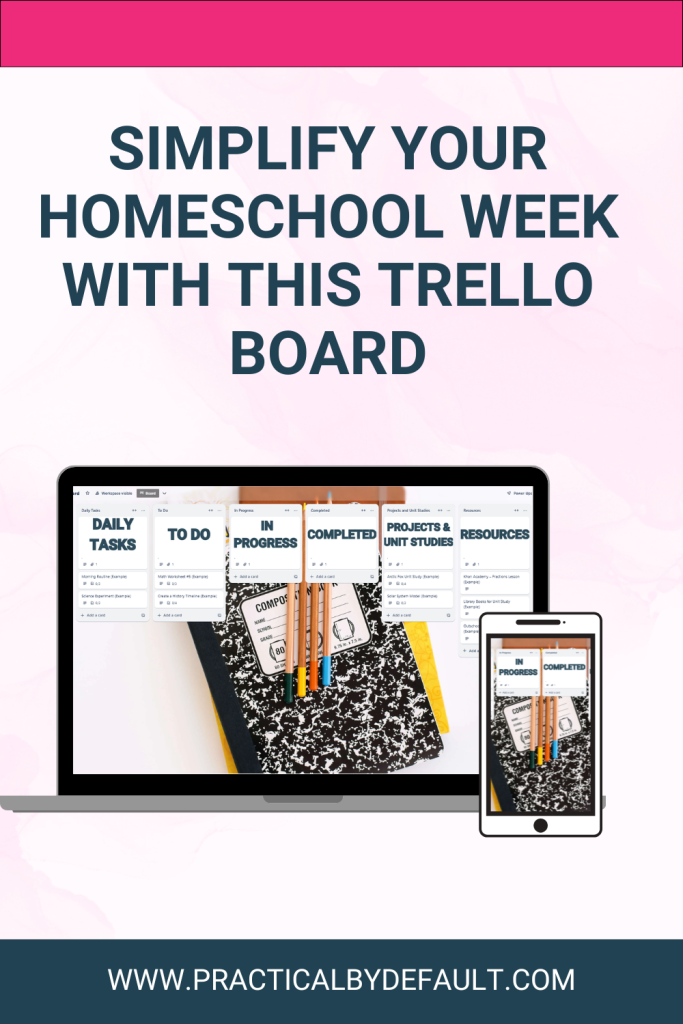
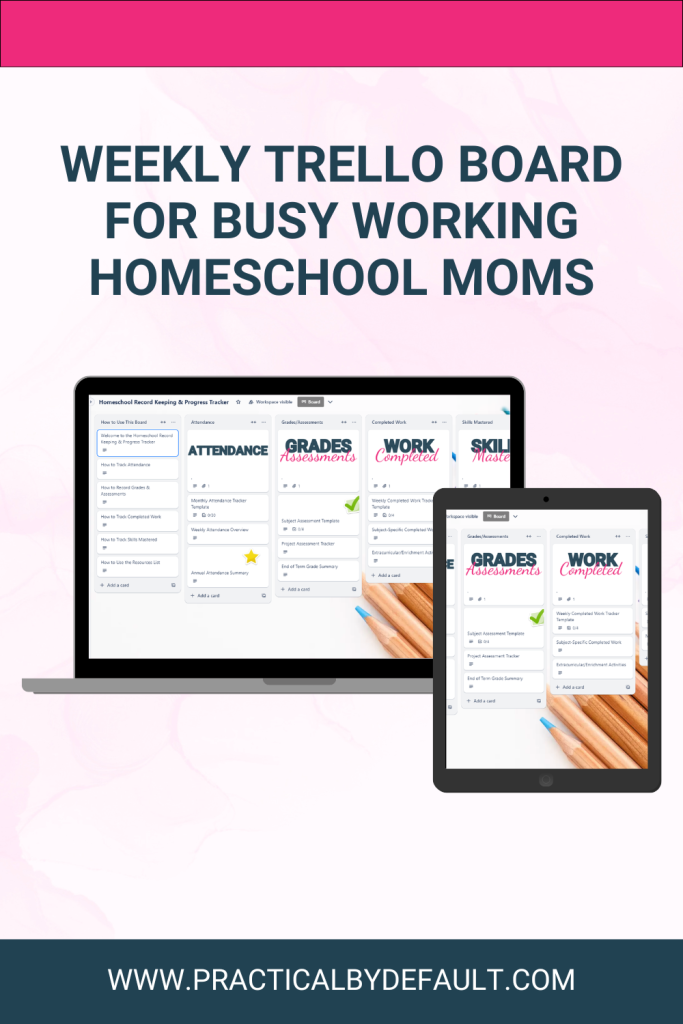
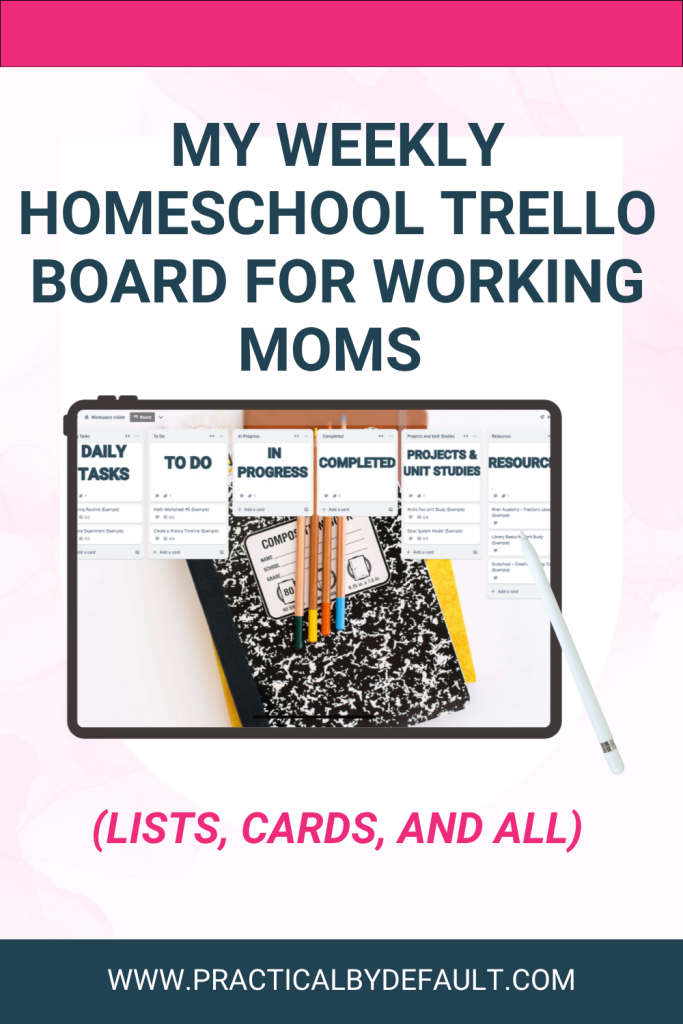
A homeschool Trello board for working moms works best when it separates what needs to happen today from what is still coming, what is finished, and where bigger projects and resources live. My board uses seven lists to do that: Daily Tasks, To Do, In Progress, Completed, Projects and Unit Studies, Resources, and Ideas and Future Plans.
The Seven Lists I Actually Use
Before you open Trello and build your own homeschool Trello board for working moms, it helps to know what each list is actually for. Here is the breakdown.
- Daily Tasks – what my kids need to do today
- To Do – tasks and lessons I know are coming but have not scheduled to a specific day yet
- In Progress – anything started but not finished
- Completed – finished work, moved here for a quick visual win
- Projects and Unit Studies – bigger, multi-step work that takes more than one sitting
- Resources – curriculum links, videos, and websites I use regularly
- Ideas and Future Plans – anything I want to save for later without cluttering this week
That structure means every task has an obvious home, whether it is due right now or just an idea I do not want to lose.
Note: this is how I do it. And there are so many other ways to organize your Trello board. This board is created to reduce overwhelm and keep it simple. You can always add to it later.
Daily Tasks: What Needs to Happen Today
A Daily Tasks list in Trello holds only what a child needs to complete that day, which stops the constant “what do I do now” question.
My Daily Tasks list in the Homeschool Essentials Planner Trello Board, based on how I use Trello, comes preloaded with example cards like “Morning Routine” and “Science Experiment,” each with its own checklist, so you can see exactly what a filled-in card looks like before you swap them for your own lessons.
For younger kids, you may still need to walk them through the list. For older kids, this list can build real independence, because they can see what needs to be done and check things off without asking you first.
To Do: Everything Coming Up
The To Do list is where I put tasks I know are coming but have not committed to a specific day. My template comes with example cards like “Math Worksheet #5” and “Create a History Timeline” already loaded here, so you can see how a task waits in To Do until you move it into Daily Tasks.
This keeps me from overloading any single day before it even starts. I move cards into Daily Tasks only when I actually want them done that day, which means the plan stays realistic instead of aspirational.
In Progress and Completed: Tracking the Middle and the Finish Line
Let’s be real here, homeschooling while working creates a lot of half-finished things for you and the kids. A child starts a project but needs help cutting something out. Someone finishes the lesson but not the corrections. This is exactly what my In Progress list is for. Anything unfinished moves there instead of disappearing, so I have one place to check when I have a small pocket of time.
Completed is the opposite, and do not skip it. There is something genuinely satisfying about moving a card there, and it gives you a quick visual reminder that you and your children are doing more than you think on the days you feel behind.
Projects and Unit Studies: Where Bigger Work Lives
Some tasks are not a single afternoon. This is where my Projects and Unit Studies list comes in, and my template comes with example cards like “Arctic Fox Unit Study” and “Solar System Model” already built out to show you the format.
Each of those example cards has a checklist that breaks the bigger project into steps. The Arctic Fox Unit Study card, for example, has a checklist that says watch a YouTube video about arctic foxes, write a fact sheet, draw or print an arctic fox picture, and learn about the North, with a linked resource right in the card description. It is meant to show you how much detail you can pack into one card, everything a child needs for that unit study in one place instead of scattered across bookmarks and browser tabs.
Resources and Ideas: Keeping Everything Findable
My Resources list comes with example cards like “Khan Academy – Fractions Lesson,” “Library Books for Unit Study,” and “Outschool – Creative Writing Class,” showing the kind of thing that belongs there.
In practice, this becomes the place I keep the links I use again and again, instead of letting them get lost in a bookmark folder I never open.
Ideas and Future Plans is a catch-all for anything you are not ready to act on yet. If your kid suddenly becomes obsessed with a topic, or you stumble across a curriculum you want to try next term, it goes here so it does not derail this week’s plan.
My Favorite Weekly Setup, Start to Finish
If I were setting up a homeschool Trello board for working moms from scratch, to simplify my homeschool planning and keep everything on track with ease, these are the lists I would start with:
- Daily Tasks – only what needs to happen today
- To Do – everything coming up, not yet scheduled
- In Progress – started but not finished
- Completed – finished work
- Projects and Unit Studies – bigger, multi-step work
- Resources – links, printables, and websites you use often
- Ideas and Future Plans – anything you want to save without cluttering this week
This gives you enough structure to stay organized without making your homeschool feel overwhelming. That is the sweet spot.
Want This Already Built for You?
If you like this system but do not want to build all seven lists and card templates from a blank screen, that is exactly why I built the Homeschool Essentials Planner Trello Board.
It comes with these same lists already in place, along with example cards and checklists like the ones I described above, so you can start planning your week today instead of building it from scratch. You can absolutely set this same structure up yourself using the breakdown above, or grab the board and skip straight to using it.
FAQ: Weekly Trello Planning for Homeschool
What lists should a homeschool Trello board for working moms include?
If you are going for a simplified planner, a homeschool Trello board for working moms should include a list for what needs to happen today, a list for upcoming tasks, a list for unfinished work, a list for completed work, a list for bigger projects, and a list for resources. This structure separates urgent tasks from long-term ones so nothing gets lost. Of course, you may want to switch to a weekly or monthly planner, and it would have lists for each day/month with cards below it.
How is a Daily Tasks list different from a To Do list?
A Daily Tasks list holds only what needs to happen on the current day, while a To Do list holds tasks and lessons that are coming up but have not been scheduled to a specific day yet. Moving cards from To Do into Daily Tasks keeps each day realistic instead of overloaded.
How do I organize unit studies in Trello?
Unit studies work well as their own list, such as Projects and Unit Studies, with one card per unit and a checklist inside each card breaking the unit into steps like videos to watch, activities to complete, and a final project.
Can Trello replace a homeschool planner?
Trello can replace a homeschool planner for some families, especially if you prefer digital planning. Other families use Trello alongside a printable planner, keeping daily tasks in Trello and long-term plans or printed records in a binder. I, of course, used both while homeschooling. Depending on the child. Trello is free; I would recommend trying it with your child and finding out what works best for them.

Jen Mackinnon is a working homeschool mom and time management strategist who’s been juggling careers, kids, and homeschooling for 14+ years. She specializes in helping busy moms find simple, meaningful ways to celebrate milestones without adding stress to their schedules. On this blog, she shares practical systems and real-life strategies for working homeschool families.You are warmly invited to join the Online Community Here!